Monday, 3 December 2018

Development bi-week: First issue, GTK Accelerators not working.

Nothing particularly exciting to report.  Plenty of little things here and there, but I'm still hesitant to do major surgery.

  • Gtk.IHateGtkDebugging: I have been fighting for days to make the accelerators in the main menu work from the very first moment, but they only work after you use the main menu once (see issue #1).  People seem to use any combination of Gtk.AccelGroup, Gtk.Action, Gio.Action, Gtk.UIManager and Gtk.Builder to build their menus and I have been completely unable to get it working in GTK+3, albeit it worked in PyGtk.
  • New data types: I'm trying to add IPv6 as a valid data type and remove all the automatic gather/discover modules that run right after adding it.
I'm starting in a new job, so let's see if I'm able to spend some time in Inguma in the next weeks/months!

Thursday, 15 November 2018

Development bi-week: GTK+3 migration, and other small big changes.

Welcome to the first (hopefully of many) updates on Inguma development.  I've been heads-down getting again a bit more familiar with the codebase and trying to get a grasp on some of the concepts that I would like to have in an open-source intelligence tool.  So far I'd say that it's been a frustrating and also a rewarding experience because I have been able to achieve big things.

As a side note, I'l say that in the past I never understood very well the Inguma codebase, given its organic growth nature from the console version, and I also was not familiar with many of the security tools that it was trying to emulate or replace.  It's very interesting how 6 years of working in demanding computer security roles may change your perspective.

Main highlights

  • I can't believe that the migration to GTK+3 is (mostly) complete.  I have been patching many files manually after running a script to do the bulk of the conversion, but as I get deeper in the code more minor issues will keep arising.
  • The code is still Python 2.x only but I'm taking small steps to convert things to an intermediate state where the amount of print's and other things like that get reduced and the code uses more abstractions.
  • External dependencies: I updated xdot.py and IPy, and I removed our local copy of Scapy from the tree.  I'm determined to remove as much old cruft as I can from the local tree, some of it dating more that  9 or 10 years back.
  • Everything from menus to buttons seems horribly broken but I'm trying to fix things as fast as I can.
  • I added a new data type called IPv6.  It's a first step to understand how difficult is to make a datatype-agnostic KB and interface.
The summary is that Inguma is in a terrible state of flux right now.  The code assumes, for example, that you are going to run several if not all "gather" and "discover" modules for every IPv4 or domain that you enter, instead of letting the user trigger it manually.

I added a small Trello board with some ideas, so feel free to add issues to Github if you have a particular feature of problem that you want us to tackle first.

Thank you for reading!

Monday, 29 October 2018

Future plans for Inguma development

All right.  After the revelations two days ago about Inguma visiting us from the grave, the next thing is to make a bucket list of what needs to be done.  In a somewhat-ordered list of most to least important, this is what I'd like to accomplish:


  1. Port Inguma to GTK+3 + GObject:
    • Inguma is written in PyGTK + GTK+2, which has ceased development several years ago.  GObject is the new introspection from the GTK+ project which allows to allow the usage of language bindings for any library using it without having to rewrite things when the library changes.
    • This should help us keep an easier install procedure for MacOS and Windows.
  2. Port Inguma code to Python 3:
    • While we were not looking, the world has finally moved to Python 3 and things like xdot.py are actually now GTK+3 and Python 3.  This is dependent on third-party code living in the tree or external dependencies that are only in Python 2.
  3. Remove years-old cruft from the tree:
    • Inguma has accumulated a fair amount of old code (pyew, krash, fuzz, scapy, pyshellcodelib, etc.) that it's either plain old and outdated or that has been getting updates in all this time.  Spring cleaning it is!
  4. Remove Bokken from Inguma:
    • Sadly, Bokken is not usable now with radare having evolved on its own for a few years now.  We will need to revisit that at a later stage.
  5. Hide funtionality until it's battle-tested:
    • In the open source world, there's always a debate about whether you should release early and often with incomplete functionality, or shipping only features that work well in a variety of environments and that are not going to crush those testers with very high hopes.
    • Given that our development time is limited, I prefer to stay with a product that shows only stable features, and instead of removing lots of code that could potentially need to be added later, for now just hide everything else behind a config or runtime flag so we don't confuse new users with broken stuff everywhere.
  6. Make documentation great again:
    • We lost the wiki, but even if I'm able to recover it, I'm not sure if a wiki is the best way of keeping documentation updated.  I'm thinking about generating it automatically for specific versions so it's easier to change and upload.
  7. Make modules...modular:
    • The list of actions that you can make with a graph is very limited and hardcoded in lib/ui/target_dialog.py and lib/ui/graphMenu.py (if I'm not mistaken).  In order to make Inguma a proper open-source intelligence client, the list of transforms (borrowing a term from Maltego) has to be extensible and modular, and move away from the actual node-as-IP paradigm.
  8. Ignore (or delete) the text-only Inguma client:
    • For those of you who don't know it, Inguma started as a text-only application until Hugo built the UI in PyGTK.  Having to maintain both is beyond my expectations at this moment, so if you use it and it goes and eats your grandmother, don't come whining.  Take this as my one and only warning.
  9. Fix the terminals code:
    • It's broken (or it will be) when anything of the above happens.  It was already brittle and it doesn't like to be disturbed, but it's not a priority to really fix it.
All the above said, I would like to release a couple of versions in technology-preview mode just to make sure that anyone who wants to test it has a good starting point.

Wednesday, 24 October 2018

Inguma is back, and due team update

As we are approaching Halloween (in the United States, at least) I find quite amusing to announce at this time of the year that Inguma is back from the dead, one more time.

If you like to know the nitty-gritty details about what happened and where we are going, keep reading.  Otherwise:

TL;DR: The Inguma code is now in Github, and we are pivoting it to become a general purpose OSINT tool.

Still here?  Oh, my, you seem to be of the masochistic type.  Let me add some history bits about the project as well.

So...
  • The development team (literally these two dummies writing the blog) is still alive.  No doubt on that.
  • We lost the server that hosted inguma.eu, bokken.re and the rest of the domains, the Mercurial repository, the wikis and everything else.  We are still in control of DNS and everything but it will take the undersigned (i.e. Ender) some time to come up with a web server, mail server and the rest.
  • Hugo and I have been very far from each other, and not exactly with a lot of time in our hands.  Life changes made things more difficult.  Bokken, the only piece of the project that was still moving forward, became obsolete (more on this later).
  • I was not working as a security professional when I started helping with the project.  Since then, many things have changed and I have been working as such for the last 6 years.  Needless to say, I see the world in a different way now.
  • Inguma was a project that Hugo inherited from hacker extraordinaire Joxean Koret, which was console-only, and which Hugo converted into a dual console-PyGTK application. Bokken, a UI around the reversing framework Radare, was then started around 2011 in the same fashion (a PyGTK application) using the radare Python bindings due to radare being console-only.  We saw the potential to merge it with Inguma in some way, and Bokken became the reversing engine in Inguma apart from being an standalone application.
  • Somewhere in 2015 the Radare team expressed that they would like to use Qt and Hugo remade Bokken in a matter of weeks in C++ and Qt as a new project called iaito.  Some time later, the Radare team decided to stop using it and they adopted it into their Github repos as Cutter.
  • At the same time, Inguma hadn't seen a commit since 2012.  We were very focused on making Bokken a success, and working in a codebase that was as disorganized (due to its long, organic growth) as Inguma was a barrier.  I wanted to add an HTTP server, proper modules, unit tests, move it to GTK+3, and many other things, but ended up putting only half of the work needed for every one of those things.  A true love-hate relationship.
  • At the same time, Hugo had started using Inguma as the base for several personal modified versions with airplane modules for his talks about airplane security (after all, he's a recognized world expert on that field).  He was using it mostly as a pen-testing framework and was reasonably happy with it.
  • So fast forward, and we then lost the server with everything.
And then, several weeks ago, I started to look for free software replacement for Maltego, the Open Source Intelligence program.  And do you know what?

There's none.

I thought of using my experience with Inguma and Bokken to write something simple in GTK+3.  After a couple of tries, I dug into my hard drives and I found my Inguma checkouts.  I realized that I had pretty much everything I needed: a modern UI, most of the heavy work that an interface needs, and a graph engine based on Graphviz.  I could just reuse some of the parts.

Long story short, I talked to Hugo and, while he seemed a bit reluctant at first, I managed to get him excited about reviving Inguma and converting it into something... different.

So that’s it. I’m dropping a lot of the old cruft in Inguma that has been outdated since 2012 or before, bringing it up to speed regarding modern codebases, removing (for now) some of the exploiting/terminals/reconnaissance UI, and adding a lot of features to be able to work as a OSINT manager.

See you out there.  It’s going to be great. 

Friday, 21 August 2015

Windows installer!

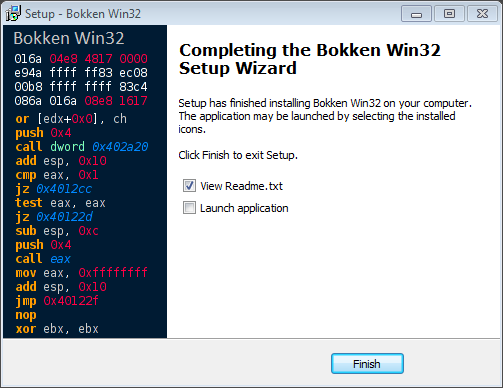
This is a small blog post for a big announcement, at least if you are a Windows user! We know that installing Bokken is not the easiest task, mainly if you use the Microsoft's platform; but that has just changed with the arrival of the new Bokken Windows installer!

Thanks to the excellent job of HardcoreHacker now installing Bokken in Windows is this easy: just download the new installer and it will take care of everything:


The installer will also take care of Bokken's dependencies and will ask you to install Python and PyGtk in case it's needed. And that's all, folks, Bokken successfully installed!


Just a few clicks and Bokken's icon will be on your desktop waiting for you to launch it!


The installer has been tested in the following Windows versions:
  • Windows XP x86
  • Windows 7 x86_64
  • Windows 10 x86_64
If you encounter any problem, just let us know and we will fix it as soon as possible.

Now just go, download Bokken and enjoy it in your favorite platform!

Wednesday, 10 June 2015

Bokken 1.8

It has been just one month and we are back with a new release of Bokken, 1.8 is here! This release was meant to be a minor one, with just support for the latest radare2 version but... look at it by yourself:


Bye, bye, pyew

Bokken started as a UI for pyew and radare2, and we tried hard to maintain both backends in our development. Sadly, pyew moves very slowly and has a different set of skills than radare, so although it's a tough move, we decided to strip down all pyew functionality from Bokken altogether. Given that there's nothing else in the OSS world that fulfills this niche, we will be tied to r2 for a while.  Maybe it's for the best, as the deletion allowed us to clean a lot of old cruft and compatibility code that has been in Bokken for ages.

radare2 0.9.9

As always, if a new radare2 version is released then we update Bokken to work with it! Bokken 1.8 works perfectly with (and ONLY with) radare2 0.9.9.

Sections tab

In an effort to better organize the UI we have moved the Sections information to a new tab in the right panels. More work will be done for future releases to make it better.


Simplified file info tab

Most of the contents of the File Info tab were duplicated and, being honest, useless. So we have decided to remove most of the contents, leave only the useful ones and present them in a better way.

Removed string repr tab

Time has arrived to say goodbye to this useless tab. Farewell!

New relocs side panel

After moving the Sections panel to the right we decided to use the space for a new and very useful panel: Relocs!

New strings tab

The Strings tab has gone under a complete remake and now it looks better and is easier to use.


New radare2 console

If you look at the above picture, you may spot an area in the lower section of the UI.  Say goodbye to the Interactive tab and welcome the brand new radare2 console! Way easier to use that the previous one, you can find it as a new bottom panel that can be resized and hidden.

New Python console

There is more: Python! Either love it or hate it, but we finally added a Python console to Bokken! Located in the new bottom panel it exports Bokken and radare2 objects such as the radare2 RCore instance, RBin and most of the data gathered by Bokken.  Expect some tutorials as we polish that feature.


Download Bokken 1.8 today!

Tuesday, 5 May 2015

Welcome Bokken 1.7

Yes, we know, it has been a very long time since the last release and most of you thought that the project was dead. I am happy to be able to say that it was not dead, just taking a long nap. And now we are back and with a new Bokken release!

Bokken 1.7 is here and though it is not a major release it still has some nice new features and improvements; let's see them, shall we?

radare2 0.9.8


Bokken 1.7 has been updated to work with the latest radare2 stable release, (0.9.8) and it benefits from all the improvements and stabilization that is offered by that great software.

That was one of the most demanded features and we are happy to finally have Bokken running smoothly with the last radare2. We will do our best to keep supporting the latest releases!

Improved graphs


The graphs have been improved in both functionality and appearance. They now work better and look really nice! Did you notice the small graph preview on the lower right corner?


Word highlight


This new feature make it easy to follow the code by highlighting all the words like the one the cursor is placed on. Useful to, for example, find all the "call" in a function or follow that register that contains important data!


ARM support


Although Bokken can open and analyze any format supported by radare2, interactivity and syntax highlighting now also works with ARM binaries! We will keep adding more in future releases; any preference? Let us know!


Bindiff fixed and improved


Working better than ever and with more visual enhancements, Bokken's binary diffing is now way better!


More analysis options


This new release supports more binary analysis options offered by radare2, so in the initial dialog it is now possible to choose... well, better look at them by yourself! Can you spot the new ones? ;)


Tooltips!


Tooltips everywhere! Place the mouse over an address, function or symbol and a tooltip will popup with a brief disassembly. But not just that, same functionality can be found in the functions list on the left panel, no need to move to a function to take a quick look.


Download and enjoy


Not bad for a minor release, right? Good, because that's not all, we still have one last thing:

A brand new project domain and website!

No screenshot this time! If you want to view it then go to the new website and further explore the new release. We hope that you decide to download and try it by yourself.

If you feel in the mood, go by the development site and give us feedback to further improve Bokken. And don't forget to follow the project in Twitter to get all the project news.

Happy reversing!


Wednesday, 1 January 2014

Debian radare2 0.9.6 published and broken Bokken.

I have just published the radare2 0.9.6 packages for Debian in the Inguma Debian repository (http://deb.inguma.eu).  They are in their way to the official archives, but due to several new packages, it will take them a while to reach unstable as they have to go through the FTPmasters' manual approval.

We have been using radare2 0.9 as the base API in Bokken (it was the latest packaged), for the past two years, and this new release breaks the internal r2 API in several ways, so Bokken is not able to load a single binary.

Over the course of the next few days I will be adapting the code to talk to radare again and to force specific versions of the API to make sure this is a less likely event.

See you in mercurial!

Friday, 20 April 2012

Moving towards Inguma 0.5


It's been quite a long time since our last update so let me show you what has been going on these last weeks.

Inguma 0.5


After the last Bokken release we have focused on Inguma 0.5 development and now I'm going to show you some of the new features we have been working on.

We've done some GUI improvements in order to make it simpler, cleaner and to integrate the last Bokken release:


Look at the new main button that integrates all the common tasks and the simplified toolbar. Also the right panel has been improved by adding expand/collapse buttons as well as filter buttons by Target OS.


The Vulnerabilities panel has gained in eye candyness and functionality with the expand/collapse buttons or the "Open with Bokken" menu option.


Most of the work for this release has been focused on the Terminals tab, which has been redesigned and greatly improved.


As you can see, it now features many buttons to manage terminals and its contents as well as a filesystem panel that integrates perfectly with terminals and the rest of the GUI. From here you can import and load host lists, nmap scans, Inguma modules... and more.

Finally, the new feature that joins all the new changes is what we have called Listeners. By creating listeners you can now connect with your compromised targets and go ahead with post-explotation. :) Let's see how it works.

In order to listen for reverse connections, or directly connect to a exploited target, simply create a local or remote listener on the toolbar popup.


You will see the newly created listener in the right panel, under Listeners tab, as well as its status: connected or listening. From here you can disconnect or destroy them using the menu.

Once you have connection with a compromised target you will be able to interact with it on the Terminals tab, but this is still WIP :)

Of course Bokken has been updated to the latest release on the Reversing tab.

RootedCon 2012


On March 1st, 2nd and 3rd the RootedCon security event was held in Madrid and one of our developers, Hugo Teso, was there to talk about Inguma, Bokken and how to use it in security research.

The talk, entitled Inguma 0.5 RedWagon, exposed the ability of Inguma and Bokken to study the security of an uncommon system, in this case Unmanned Aerial Vehicles (UAS), both amateur and comercial ones. For this purpose a special edition of Inguma was coded, featuring UAV Command and Control software, with more protocols added to the network fuzzers among others.

The UAV C&C is an integrated WASP Ground Control Station, modified to be able to handle different UAV Autopilots (AP), from configuration and compilation to run and control:


Within the C&C tab many APs can be configured and run, either in SITL or HITL, such as ArduPilot Mega, Paparazzi or WASP. After using the Fuzzers to find vulnerabilities, either the Networking or the C&C tabs can be used to exploit a vulnerable UAV, depending if the vulnerability affects the GCS or the UAV directly.

In order to reverse-engineer the vulnerable AutoPilot or Ground Control Station, Bokken with Radare2 core was used, so the whole process of vulnerability finding, development and exploiting has been done with Inguma and Bokken :)


Here you can see some fotos of the talk and some slides.

As you can see, the lack of news doesn't mean lack of activity as we have been really busy :) Stay tuned for more updates and upcoming releases!

Tuesday, 24 January 2012

Bokken 1.6 is more stable and easier to install

A month and a half after having released Bokken 1.5, the Inguma/Bokken team is proud to present a point release to our baby Bokken.  The download page can be found here!

The main changes in 1.6 are:

  • Fixed a security bug due to a predictable temporary file creation (a Debian developer reported it the very first day in the archive, yay!).
  • Fixed some obvious usability issues and crashes when opening new files inside Bokken.
  • Now Bokken is better prepared at using a system-wide pyew, for example, or being installed somewhere else than your home directory (like distributed as a Debian package :-) ).  Some of the images and icons were not working previously.
  • In the meantime, we started to import Bokken 1.5 into Inguma and quickly realized that: a) some of the UI changes scheduled for next Inguma release could fit into Bokken (read here eating up the top toolbar and menubar), and b) a lot of the migration work could be simplified if we use a simpler frame to embed Bokken in (and thus into Inguma in the long run).

This means that when you use Bokken 1.6 you may notice a somewhat unusual menu bar:

Bokken 1.6 running on Windows 7


Inspired by MyPaint, we got rid of menu bars (no more File/Edit/... menus) and together with some other buttons in the top toolbar, we replaced them with a big button that comprises most of the previous functionality:

Close capture of the new toolbar in Bokken 1.6
running on Debian Linux wheezy


In other order of things, we have been releasing .deb packages since the 1.5 release, together with the rest of dependencies (python-radare2, pyew, etc.), and they have reached the official Debian archive (http://packages.debian.org/bokken). Today we are also proud to present a signed APT repository that you can easily add to your /etc/apt/sources.list in your favorite Debian/Ubuntu/Debian-compatible distribution to follow more closely our development:

deb http://deb.inguma.eu/ stable main

For more information and instructions for retrieving the repository signing key, please see the new installation in Debian and derivatives wiki page.

Enjoy it!  And remember: please report to the team any bugs you may find, through Redmine, our ticketing system.

Monday, 23 January 2012

Inguma T-Shirts, and updated Inguma server

The Three Wise Men came for Christmas with some presents:

  • We partnered with a Spanish site to sell Inguma T-shirts.
  •  Our server has duplicated its physical memory!  Yay!


The shirts are available through Camisetas Frikis site (as far as we know, only in Spanish for the moment), and with every purchase, you will be contributing with 3 € to the project (see below!). If you want to order any and Google Translate is not up to the job, the best thing you can do is to write to info(AT)camisetasfrikis.es with your order or any questions.  Their staff will reply to you promptly!

With the yearly server renewal we decided to scratch our pockets and spend more money in memory.  The web server has been fighting for resources during the last months with the rest of the processes in the box.  Now there're cookies for everyone. :-)  Maybe with the T-shirts we will be able to subsidize some of our expenses, coming exclusively from our pockets.

Thanks for your time and stay tuned for the upcoming release of Bokken 1.6!

Wednesday, 7 December 2011

And finally... Bokken 1.5

Once the development has finished, radare2 0.9 has been released and the project site has been updated, the moment has arrived: Bokken 1.5 is here!

Take a look at the previous post to read some of the new features of this release and keep reading to see most of them in detail; for the rest... install Bokken and enjoy them!

As mentioned before, one of the most important features added is the support of radare2 as backend. So now Bokken can work with either Pyew or Radare, each one having its own advantages and drawbacks.

Most of the development efforts for this release have gone to improve the GUI in order to make it cleaner and easier to use.


The disassembly view has gained in interactivity, and now it features, among others:
  • Code navigation by clicking over: functions, basic blocks, address, section names, etc...
  • Add comments, view and follow xrefs or view opcode information by right-clicking on a code line.

The graph tab has been improved mainly if radare backend is used; if so, the graph will show flowgraph or callgraph and popup a xrefs menu if a node is right-clicked.


Even the hexdump has received some love and now has syntax highlighting and selected bytes will be disassembled.


If the radare backend is used, a new tab will be added with extended target information like entry points, symbols, imports, sections and strings.


Do you want to use Bokken to find the exploit of the latest patched vulnerability from your favorite vendor? Congrats! Bokken 1.5 features for the first time a binary diffing plugin that can be used with radare.


Other plugins added are:
  • Assembler/Disassembler: create and export assembly code snippets in many architectures.
  • Visual representation of binary sections.
  • Advanced calculator with many input and output formats.
  • File magic identification.
Finally, if you have problems with x86 assembly, stack inners or other issues, take a look at the RCE cheat sheet included.


There are many other new hidden features awaiting to be discovered on this release, too much to be mentioned here; take a look at the project documentation to discover and learn about them. Now it's time for you to download and install :-)

Windows installer and debian packages will be available soon but, meanwhile, manual installation is easy and straightforward.

We hope you enjoy this release as much as we did working on it and, as always, send us your feedback, bugs, and requests to our mailing list:

bokken-devel at inguma.eu

Special thanks for this release go to:

  • @trufae and @earada for radare2, their help and testing
  • @zxlain for the OSX testing and encouragement
  • @huahe for the incredible logo

Thanks and stay tuned (in @ingumito)!

Wednesday, 26 October 2011

A new release is coming

Once again it's been a long time since our last update. The team has switched gears and now we are in a sprint to finish a new release of Bokken. As you probably know, Bokken is the RCE utility that we use in Inguma, and we have been very busy adding tons of features and polishing the interface.

If Bokken 1.0 had 39 commits, for the new release we are near 200, so expect lots of changes, bug fixes and improvements. Let's view some of the major ones.

The first thing you will notice is that the GUI has changed dramatically, not just to be adapted to the new features but we also have made many changes in order to make it clearer, more intuitive and easier to use. But a picture is worth a thousand words:


"Coming soon", "WIP" or "for the next release" are expressions that the Inguma team doesn't like, so another major feature of Bokken 1.5 has been to remove the "soon" regarding the radare backend! And yes, we made it.

Now Bokken can be used with all the power of radare and the ease of use of our GUI. Take a look at the radare website to learn about the features of this powerful backend.


Also almost all the views/tabs of Bokken have received some amount of love and have new features or improvements like:
  • The long-awaited code navigation.
  • Improved flowgraph view.
  • More interactive hexdump.
  • Many new features for working with URLs
  • New plugins like: (yes!) bindiffing, calculator, assembler, and more...
And that's all for now. Complete and detailed information of all the new features will be shown in the upcoming release post.

Don't forget to follow us on the project's twitter and send your ideas and comments to our mailing list:

bokken-devel (at) inguma.eu

Stay tuned.

Wednesday, 14 September 2011

Inguma 0.4 is out!

Trying to follow a three months release cycle, today we are proud to announce the next version of the Inguma Project, in short Inguma v0.4. As always, let's see the new features we added this time:
  • The GUI has been modified and cleaned in order to give more space to the most active areas like the network map, the RCE interface or the exploits/fuzzing areas.
    • Last opened/saved KB are now easily accesible on the toolbar.
    • A warning icon appears in the "Logs" tab when new content is available.
    • The bottom status bar has gained more functionality showing information regarding KB in use and targets or vulnerabilities discovered.
  • We have updated Bokken subproject to the last stable version available, v1.0. It features an interactive mode, better code disassembly and analysis and better integration with Inguma's GUI. More information about Bokken can be found here.
  • The systray functionality allows now to hide the Inguma GUI while it's working and it will warn you once the running modules have finished.
  • A new fuzzing tab has been added to the Exploits workspace with two different fuzzers: Krash and Scapy.

    • Krash fuzzer has been part of Inguma project for a while but now it can be used directly from the GUI. Just select the target, the packet to be fuzzed and press start. Read more about Krash fuzzer here.
    • The Scapy fuzzer is a GUI wrapper to the scapy's fuzz function that makes network fuzzing very easy. It's fully drag-and-drop-driven and, in order to start, you just have to compose a packet by dropping layers, select the layers/fields to be fuzzed and select an output directory to save the sent and received packets.
  • The CLI interface has received some attention again and a few new shortcuts like '?' for help or '..' to go back to the main menu are now available in nearly all the modules.
    • Inguma CLI now works better on MacOS with autocompletion and key bindings.
    • All the fuzzing modules are now under the fuzzers category and have been fixed.
Inguma v0.4 Copyright (c) 2006-2008 Joxean Koret Copyright (c) 2009-2011 Hugo Teso
Type 'help' for a short usage guide. inguma> nmapscan inguma/nmapscan> ?
Inguma's Nmap Interface Help ------------------------------
help Show this help nmaphelp Show Nmap's help nmap Execute Nmap with options specified exit Exit from nmapscan interface
inguma/nmapscan> .. inguma> .. Exit.
  • Some additional minor changes include:
    • A new module to find subdomains is now available.
    • The option to automatically audit a new target has been added to the "New target" dialog.

    • Lots of code refactoring and bugs fixed.
Get the new release here while is hot, and stay tuned about the latest Inguma and Bokken developments at the project mailing lists or the Twitter profile.

Tuesday, 16 August 2011

Rooted CON Inguma video available.

The Rooted CON media team have released the videos from the RootedForge event that happened in Madrid on March, 3rd 2011.  There Hugo Teso talked about the past, present and a bit of the future of the Inguma project.  It's only in Spanish, sorry!

Tuesday, 5 July 2011

Bokken 1.0 has landed

Today we are releasing a new tool of the Inguma project: Bokken.

In Inguma 0.3, an early version of Bokken was included as the RCE tool of the project.

Now we are giving it as a standalone tool.

Bokken is a GUI for the Pyew tool, a *iew like tool for malware analysis, so with Bokken you can do almost the same as with Pyew but with a nice GUI :-). Actually Bokken can parse and help in the analysis of PE/Elf, PDF and websites; any other file can be also opened and studied but Bokken won't analyze it.

To get a full description of the project features, installation instructions or just get the code go to the project site.

Enjoy the new tool and don't forget to send us the bugs you find, feature requests or any other feedback that you consider can help improve the project.

Monday, 13 June 2011

Welcome to Inguma version 0.3

The Inguma team is very proud to release version 0.3 of their pentesting and vulnerability research framework. The new release increases stability (mainly the GUI) thanks to lots of bugs fixed, offers a smoother experience and, of course, includes some awesome features:
  • Together with the new release we would like to introduce our project's new pet, Ingumito. He will keep all our users informed of the project news through his twitter account: @ingumito
  • A new module has been added to map the IP addresses using the GeoIP library from MaxMind:
  • By Ctrl + right clicking over a target a new menu entry will allow to remove the target and all its nodes from the map and the KB:
  • Additional information regarding a vulnerability can be obtained by right clicking over a vulnerability node:
  • The Add Target dialog must be improved to allow multiple IP addresses and other inputs but, meanwhile, the import dialog now supports a comma-separated CSV file to be used as multiple IP input.
  • The exploits download and load process has been simplified; download the exploits at the Preferences dialog and use the Search button to load the exploits. Once loaded, this button will search through the exploits DB.
  • The most important change of this new release is the complete rewrite of the RCE interface and core. OpenDis has been removed, and so the objdump dependency, and a new interface has been added that uses Pyew as backend:

This new interface offers most of the Pyew features in a easy-to-use GUI.  Analyzing almost any kind of file or web site is now easier with this new release!  This GUI for RCE is a new subproject of Inguma called Bokken and will be released soon in our website as an independent tool.  Stay tuned!

The RCE interface will analyze PE, ELF, PDF and web sites, and will open any other file in the hex editor. An image is worth a thousand words, so here you have two thousand of them:


Some minor features added are:
  • An icon has been added to graph nodes to show the OS of the target when available.
  • New autosave feature that will save the KB after every module execution to prevent data loss in case of GUI crash. This autosaved KB will be loaded at startup if the user wants.
  • Single host report option added to the node menu.
  • Improved performance of ping and scan modules.
  • More modules have been ported to the GUI, like "identify"; wich has also been added to the list of modules launched on adding a target.
  • We are now closer to full Windows compatibility as this screenshot demonstrate :-)

We hope you enjoy using this new release as much as we enjoyed making it!  Stay tuned of the project news with the Twitter account or the mailing lists. For more information, documentation, reporting bugs and, of course, download the release, visit the project's web site.

This release is dedicated to the hundreds of thousands of Spaniards that gathered on May 15th first in Madrid, then everywhere, to protest against political parties in the now-called #15M movement.

Monday, 9 May 2011

Inguma server reachable over IPv6.

I just added AAAA records to the zones for inguma.eu and inguma-framework.org! I don't think I broke anything, but just for you to know.

Wednesday, 27 April 2011

Mailing lists and more in place.

Since the last post we have been busy, not only fixing bugs in Inguma but also adding some pieces of infrastructure to the project to improve the available facilities to develop Inguma.
  • Two mailing lists are ready for use: inguma-announce and inguma-devel. Anyone familiar with OSS will infer their purpose.
  • Redmine has been upgraded to 1.1.2.
  • We are trying to import all the issues from the Google Code project into Redmine to avoid losing user reports. If you have any bug, report or suggestion, please create a Redmine account to add a new issue or contact our development list!
  • In the very near future we intend to publish updates also by Twitter to make people aware of our advancements. Keep tuned!

Also do not forget that we are available in #inguma on Freenode IRC network.

Monday, 21 February 2011

Inguma keeps moving...

First of all we would like to thank you the great welcome you have given to the new release; we will do our best to keep improving the project.

Since the 0.2 release many improvements have been done to Inguma and we will try to show you some of them on this post.
  • Today we release a new project site and leave Google Code. The dev team has discussed a lot and finally decided to use our previous development site as the main one. You can find it at:

or, for the lazy ones (including ourselves), the shorter:

  • Lots of bugs have been fixed since 0.2 release and now Inguma should be fairly more stable, mainly the GUI.
  • As the GUI released at 0.2 had (and still has) many bugs and crashes quite frequently, we added a new Autosave feature. It will save automatically the KB after every module run and try to recover it at every application start. Unless you manually save the KB or reject to load at start it will be available to recover your work.
  • We have added autofill on targetDialog so you don't have to manually fill the module target, it will be filled automatically with the IP address of the node.
  • Added tooltips to confusing parameters of the gather dialog with a little description of the available options.
  • Added picture support on graphs. Actually it shows OS icon when possible or a generic icon when OS is uknown.
  • Right click on web vuln (OSVDB) at Vulns per port graph opens vulnerability info on browser.
  • Added more dependency checks (graphviz, Impacket, PySNMP) to help identify and manage start up problems.
Checking:
GTK UI dependencies... OK
WARNING: No route found for IPv6 destination :: (no default route?)
Scapy... OK
Network connectivity... OK
GtkSourceView2... OK
VTE Terminal... OK
Impacket library... OK
PySNMP library... OK
Graphviz binaries... OK
  • Improved performance of TCP, UCP and ICMP ping modules and "portscan" module (SYN and ACK). So now add target dialog has improved a lot the speed by using "portscan" instead of "tcpscan" and is more complete by using "identify" on opened ports.
  • Half of the users told us that they wanted module output on new dialogs and the other half prefered to have it on the "Logs" tab at the bottom. So finally we changed module output behavior using SHOW_MODULE_WIN at config.py. If set to true it will popup module ouput on a new dialog but if set to False it will drop it to the Logs Tab.

For more information do not hesitate to contact the team using any of the options listed on this wiki page.

Contributors